Hi,
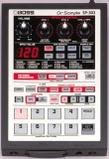
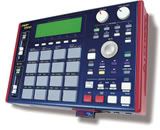
I have an mpd24 and have been attempting to connect it via midi to my SP303 but I cannot get the SP303 to recognise the midi signals.
The SP303 manuals states that the midi channel should be set to 1. I have tried sending on all the MIDI channels on the MPD.
Has anyone had success using the SP303 with a midi controller?
thanks,
Camtona.
Connecting MPD24 to the SP-303
Moderator: TGN
-
Fingerbangerz
- New member
- Posts: 2
- Joined: Wed Jul 25, 2007 7:44 pm
yep, got it to work. set it up with the MPD sending midi via the usb to the soundcard -> then the soundcard's midi out sending to the midi in on the SP.
the SP 303 manual has the Midi settings outlined so I made a preset on the MPD called "SP-303" with those. works a treat. now I have 16 levels and velocity sensitive pads on the SP!
the SP 303 manual has the Midi settings outlined so I made a preset on the MPD called "SP-303" with those. works a treat. now I have 16 levels and velocity sensitive pads on the SP!

hey woah, i had totally given up on the mpd and 404!!camtona wrote:yep, got it to work. set it up with the MPD sending midi via the usb to the soundcard -> then the soundcard's midi out sending to the midi in on the SP.
the SP 303 manual has the Midi settings outlined so I made a preset on the MPD called "SP-303" with those. works a treat. now I have 16 levels and velocity sensitive pads on the SP!
although i still cant get it to work. any chance you can upload the template?

so does this mean you can't run the mpd/mpk/trigger finger straight to the sp-303(or 404). you need the computer middle man; is that right?
insert funny comment here.
http://soundcloud.com/jon-ill
http://soundcloud.com/jon-ill
I actually figured it out after posting my reply earlier..But uumm he's basically saying if u dont have the plug for the MPD and u have the USB hook the usb up to the computer turn ur computer on soo the mpd will be on and hook the midi out of the mpd to the sp then make a preset for the sp cause I seen on the mpd that the pads are already set up by default to work with the sp 303 pads pads 1-8 on the mpd are bank a then 9-16 are bank b on the sp then BANK B on the MPD pads 1-8 are bank C on the sp then pads 9-16 is bank D on the SP ......jbl wrote:so does this mean you can't run the mpd/mpk/trigger finger straight to the sp-303(or 404). you need the computer middle man; is that right?
EDIT: BUT MAKE SURE UR MPD IS SET TO 1A FOR THE COMMON MIDI CHANNEL!!!!!!!!
hi guys, apologies for not replying earlier.
youngheat is right, it works as he describes with the default GM midi preset. I just copied and renamed this preset to SP303 for my own reference.
It also works without a computer if you have the AC adaptor for the MPD. I have tested this.
I am in the process of trying to use the MPD with my sp505 too but have only had partial success. I'm sure it can work, but the midi settings in the 505 manual seem complicated to me.
cheers.
youngheat is right, it works as he describes with the default GM midi preset. I just copied and renamed this preset to SP303 for my own reference.
It also works without a computer if you have the AC adaptor for the MPD. I have tested this.
I am in the process of trying to use the MPD with my sp505 too but have only had partial success. I'm sure it can work, but the midi settings in the 505 manual seem complicated to me.
cheers.
I can't get it to work with the sp404... Are you guys hooking up the midi to your computer or to the MPD24? I can't see why that should make a difference, but it doesn't work for me right now. (have it hooked up to the mpd)camtona wrote:hi guys, apologies for not replying earlier.
youngheat is right, it works as he describes with the default GM midi preset. I just copied and renamed this preset to SP303 for my own reference.
It also works without a computer if you have the AC adaptor for the MPD. I have tested this.
I am in the process of trying to use the MPD with my sp505 too but have only had partial success. I'm sure it can work, but the midi settings in the 505 manual seem complicated to me.
cheers.
Yo man heres what you doDarkWing wrote:I can't get it to work with the sp404... Are you guys hooking up the midi to your computer or to the MPD24? I can't see why that should make a difference, but it doesn't work for me right now. (have it hooked up to the mpd)camtona wrote:hi guys, apologies for not replying earlier.
youngheat is right, it works as he describes with the default GM midi preset. I just copied and renamed this preset to SP303 for my own reference.
It also works without a computer if you have the AC adaptor for the MPD. I have tested this.
I am in the process of trying to use the MPD with my sp505 too but have only had partial success. I'm sure it can work, but the midi settings in the 505 manual seem complicated to me.
cheers.
Step 1. PLug the usb of your mpd into your PC
Step 2. Turn your PC on if its not on already.
Step 3. Turn your knob and change ur preset to either 13 or 14 one of the presets that say <default
Step 4. NAme that SP 404 (TO NAME A PRESET ON THE MPD PRESS THE > TWICE THEN TURN YOUR DATA KNOB).
Step 5. Grab your midi cable and hook it into the midi out of your MPD.
Step 6. hook the other end of the midi cable to your midi in of your SP
Step 7. GO CRAZY WITH SAMPLING READ MY POST EARLIER ABOUT WHICH PADS CORESPOND TO WHICH AND WHICH BANKS CORRESPOND TO THE BANKS ON THE SP!!!!!!
YOUR WELCOME AND LET US KNOW IF THAT HELPS!