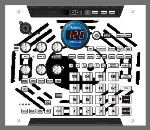
Hi There! i use sp404 + sp555 for preproduction an live on stage, along with didgeridoo and fat guitars...awsome tools anyway! One thing i wonder
bout is:
Manual (german, page 17/gate-trigger-loop...) describes option to change sample pads like:" YOU CAN CHANGE PADS by HOLDIN [remain] AND PRESS DESIRED PAD."
Thanx for reply!- BUT what it mean is: IS IT POSSIBLE TO CHANGE IMMEDIATELY(!) FROM CURRENT RUNNING SAMPLE PAD TO ANOTHER ONE (!) ON ANOTHER BANK (!)?
Only way for this i found untitl now, is to press the second one (where i wanna go) SHORT TIME, while first is running, then undo NO. 1 + same time start No.2 with [SUB PAD].
Any other chance?
(thought the (MEMO) on page 17 describes what i Think of- or am i wrong?)
salute
B
Last edited by surrealbob on Tue Oct 14, 2008 1:38 pm, edited 2 times in total.
Holding remain shows you which pad is the current pad, pressing another pad while holding remain only change the info shown about that pad (the mono/stereo and lofi settings). I don't think you can change pads on different pad banks by holding down remain and pressing a pad. At least I'm pretty sure you can't.
I know, but when you do it... does it change. Your taking the memo into the wrong context. There are 2 memos. and the first one stats, "If you press remain, the current pad will blink, allowing you to check which pad is the current pad". Pressing remain and then another pad does just that only with another pad. I know the manual can be confusing. Roland should of probably been a little more specific when they wrote that second memo.