
We see people are starting to use their forum signatures to express themselves which is a great thing but really large signatures (with big pictures, etc) can be frustrating when reading through a topic so please try to keep your signatures height about 200 pixels max.
You can resize images online at websites like http://www.resizeyourimage.com/
If you need any help let us know.
Forum Signatures
Moderator: TGN
-
PHeMoX

- Most Helpful Member of the Year '09
- Posts: 2797
- Joined: Sat Oct 13, 2007 9:13 am
- Location: Netherlands
Hi Kees,
Is it possible to add signatures as a hyperlink? I've got an image with a link in it, but it doesn't work apparently... it just opens the image in a pop-up instead of opening the link...
Is it possible to add signatures as a hyperlink? I've got an image with a link in it, but it doesn't work apparently... it just opens the image in a pop-up instead of opening the link...
Code: Select all
[url=http://www.myspace.com/phemoxband/][img]http://www.innervisionsoftware.com/phemoxmusicsmallkopie.jpg[/img][/url]
"A man who misses his opportunity, and a monkey who misses his branch,
cannot be saved."
www.myspace.com/phemoxband
www.myspace.com/phemox
www.soundclick.com/phemox
cannot be saved."
www.myspace.com/phemoxband
www.myspace.com/phemox
www.soundclick.com/phemox
-
Funkyoldcrate
- Member
- Posts: 91
- Joined: Thu Apr 24, 2008 11:27 pm
- Location: Jersey Dirty Jersey
-
PHeMoX
- Most Helpful Member of the Year '09
- Posts: 2797
- Joined: Sat Oct 13, 2007 9:13 am
- Location: Netherlands
Yeah, I think can help.
What's the most important with picture sizes are the 'pixels', not inches on the actual screen as some program blow pictures up to make it easier to work on and stuff.
Basically in width it shouldn't be much larger than about 200 pixels I think and in height not more than say 50-75. That would make a nice banner-style picture.
The typical screen resolutions are for example; 1280 x 1024, 1024 x 768 , 800 x 600 pixels. So, if you would look at this forum while your desktop is @ 1280 x 1024, a banner of 200 x 50 or so would look good and not too big.
Which program do you use to scale it down? You might have to take care that when you save the image (for example in Photoshop ) you select a lower quality setting as well.
What's the most important with picture sizes are the 'pixels', not inches on the actual screen as some program blow pictures up to make it easier to work on and stuff.
Basically in width it shouldn't be much larger than about 200 pixels I think and in height not more than say 50-75. That would make a nice banner-style picture.
The typical screen resolutions are for example; 1280 x 1024, 1024 x 768 , 800 x 600 pixels. So, if you would look at this forum while your desktop is @ 1280 x 1024, a banner of 200 x 50 or so would look good and not too big.
Which program do you use to scale it down? You might have to take care that when you save the image (for example in Photoshop ) you select a lower quality setting as well.
-
Funkyoldcrate
- Member
- Posts: 91
- Joined: Thu Apr 24, 2008 11:27 pm
- Location: Jersey Dirty Jersey
Thanks, man, I was trying to use the link from the first postWhich program do you use to scale it down?
http://www.resizeyourimage.com/
I even made it 100 pixels tall and 100 wide but Im gonna check and see what resolution (er whatever) Im using atm.
I do appreciate you for responding

If ya stand for nothing, you'll fall for anything.

-
Funkyoldcrate
- Member
- Posts: 91
- Joined: Thu Apr 24, 2008 11:27 pm
- Location: Jersey Dirty Jersey
Ok, now I got it under 10 kb and it said too many pxls 
Thats how computers get punched.
Phemox-I know you said pay attn to pixel size but I just saw that it was like 8kbs and gave it a try.
Oh well, I got better things to do than argue with this tur...er, computer.

Thats how computers get punched.
Phemox-I know you said pay attn to pixel size but I just saw that it was like 8kbs and gave it a try.
Oh well, I got better things to do than argue with this tur...er, computer.
If ya stand for nothing, you'll fall for anything.
-
Funkyoldcrate
- Member
- Posts: 91
- Joined: Thu Apr 24, 2008 11:27 pm
- Location: Jersey Dirty Jersey
-
Funkyoldcrate
- Member
- Posts: 91
- Joined: Thu Apr 24, 2008 11:27 pm
- Location: Jersey Dirty Jersey
-
PHeMoX
- Most Helpful Member of the Year '09
- Posts: 2797
- Joined: Sat Oct 13, 2007 9:13 am
- Location: Netherlands
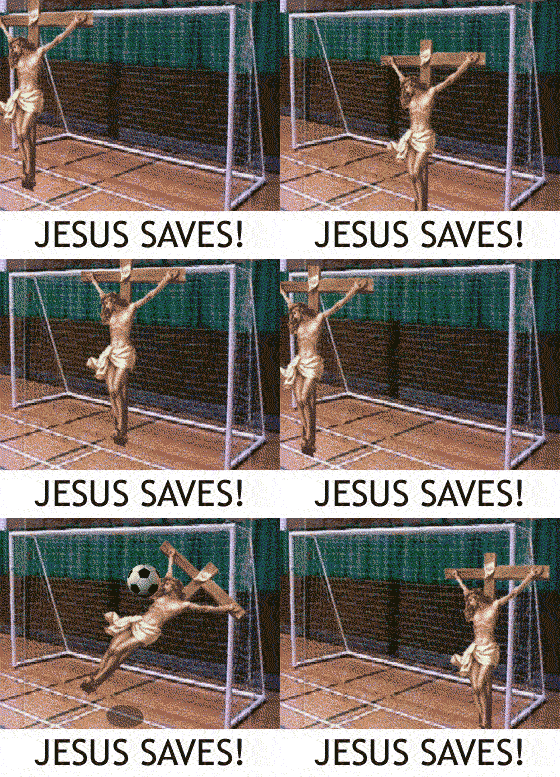
Hahaha, funny indeed! 
I'm glad you've figured it out though using that site.
I'm going to change my signature image soon though, as it's a tad too big in my opinion. Still, I don't care if there are larger images in signatures as long as they load fast. There are a few people here on pretty slow connections, so it might be a good idea to set a certain size as maximum. Don't quite remember if there is a set boundary at the moment (except when you upload your avatar to this site internally I guess).
I'm glad you've figured it out though using that site.
I'm going to change my signature image soon though, as it's a tad too big in my opinion. Still, I don't care if there are larger images in signatures as long as they load fast. There are a few people here on pretty slow connections, so it might be a good idea to set a certain size as maximum. Don't quite remember if there is a set boundary at the moment (except when you upload your avatar to this site internally I guess).
"A man who misses his opportunity, and a monkey who misses his branch,
cannot be saved."
www.myspace.com/phemoxband
www.myspace.com/phemox
www.soundclick.com/phemox
cannot be saved."
www.myspace.com/phemoxband
www.myspace.com/phemox
www.soundclick.com/phemox
-
Funkyoldcrate
- Member
- Posts: 91
- Joined: Thu Apr 24, 2008 11:27 pm
- Location: Jersey Dirty Jersey
-
reutersindia
- New member
- Posts: 4
- Joined: Wed Oct 12, 2011 9:50 am
Re: Forum Signatures
In Signature you can post image test and link. depend to the forum moderator after how much post you can post signature....