Recording Process??
Moderator: TGN
-
MusicFiend

- Member
- Posts: 113
- Joined: Fri Nov 30, 2007 7:03 am
- Location: Missoula, MT
Recording Process??
I was just curious how you guys lay your s**t down. Do most of you use multi track recorders? Anyone use an audio interface? Any other methods. Right now i can only record into my 1/8in mic input on my laptop and it sounds like shit. I'd like to be able to enter some battle beats.
"The older I get, the more life starts to make sense, and the less I care." -Buck65
-
Euclid Ov Oåklånd

- 303 Award Winner '09
- Posts: 4588
- Joined: Sun Jul 01, 2007 12:01 am
- Location: Narnia

-
balazs
- 404 Award Winner '09 + Beat of the Year '09 + Tape of the Year '09
- Posts: 2235
- Joined: Fri Dec 08, 2006 6:37 am
- Location: New York
Re: Recording Process??
Are you sure there is no line input on the computer. Anytime you put a line output to a mic input its gonna sound bad.MusicFiend wrote:Right now i can only record into my 1/8in mic input on my laptop and it sounds like shit. I'd like to be able to enter some battle beats.
-
Cheenergies
- Member
- Posts: 197
- Joined: Wed Nov 29, 2006 12:43 pm
- Location: London, U.K
- Contact:
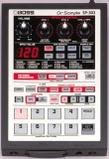
I chop, sequence and do efx with the sp404 and record w/ a micro br digital 4 track but don't do any overdubs. Recently I've started recording drum loops of me trying to drum with a Vivitar Mpeg4 Camera(it sounds lo fi enough) and then I look for samples on any source that has a headphone out, whether it be cd, mp3, youtube,kids toys, synths, records, tapes, radio, dvd whatever and then chop, sequence, arrange and record.
Maschine 1.5, SP-404, Akai S20, Microkorg Synth
Boss Micro BR- 4 Track, Akai LPD8, Protools 8
Boss Micro BR- 4 Track, Akai LPD8, Protools 8
-
MusicFiend
- Member
- Posts: 113
- Joined: Fri Nov 30, 2007 7:03 am
- Location: Missoula, MT
Yeah, I only have a laptop so there is no line input, just a mic input. I guess i didn't really know there was a difference though. Hey Dr. 303, do you record straight into your mic input? If so it must just mean the soundcard on my hp is s**t.
"The older I get, the more life starts to make sense, and the less I care." -Buck65
-
Euclid Ov Oåklånd
- 303 Award Winner '09
- Posts: 4588
- Joined: Sun Jul 01, 2007 12:01 am
- Location: Narnia

you might have the option of choosing between line and mic. i have a dell with this (of course it's the same 1/8 input). but u know what i still get very low recordings even with everything all the way up. edirol sells a cheap audio to usb in device(thinks it's around 40). it's not the best you can buy but definately better than mic in. and i use an H2.
insert funny comment here.
http://soundcloud.com/jon-ill
http://soundcloud.com/jon-ill

Check out Behringer also..edirol sells a cheap audio to usb in device(thinks it's around 40). it's not the best you can buy but definately better than mic in.
I'm not sure what type of Sp you got, but if you have the 606 use it as an interface thru USB..
www.olivier-recordings.com
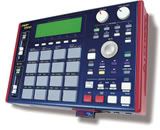
Custom made videos for Cakewalk products, Roland MV8000 (MV8800), Motu BPM, and much more!
Music is a moral law,
it gives wings to the mind,
a soul to the universe,
flight to the imagination,
a charm to sadness,
a life to everything,
Plato 400 B.C.
Custom made videos for Cakewalk products, Roland MV8000 (MV8800), Motu BPM, and much more!
Music is a moral law,
it gives wings to the mind,
a soul to the universe,
flight to the imagination,
a charm to sadness,
a life to everything,
Plato 400 B.C.
i record through a 4 channel pa head into a direct box into the line in on my mac and audacity and it sounds fine, you usually need to amplify and compress and eq but it has all that.
i would suggest the direct box to anyone recording into their computer line in. i could be wrong but i think it eliminates the possibility of too much power going through your soundcard or computer and maybe frying it? anyone know for sure?
i would suggest the direct box to anyone recording into their computer line in. i could be wrong but i think it eliminates the possibility of too much power going through your soundcard or computer and maybe frying it? anyone know for sure?
he who hesitates gathers no moss
http://www.soundcloud.com/dr-ew
http://www.soundcloud.com/dr-ew

In ur Pc right click on that little speaker in the right hand corner at the bottom open volume control then go to options then click properties in that list make sure the line in Box is checked...Then go to the recording bubble in the middle of that box then make sure the line in is checked inside of there to...then press ok. Another box should show up and it should have like Stereo Mix and Line In ETC. make sure that Line in is checked then boost the level up on that. Then go into audacity and start recording....Olerud wrote:Hey I know recording thru mic in is bad, but that's what I do because when I go thru line in the volume is ridiculously low.
How can I increase the volume when recording to audacity, other than turning it up all the way on the SP itself?

The homie YoungHeat! Damn I would have never figured that out, thanks a lot. I cannot believe I was recording thru mic in, whatever ... the ones I recorded thru that are just stupid grimey now in comparison.
And yeah I would say FUNK A COMPUTER but thats all I got. Anyone wanna sell me a 4 track for like $30

And yeah I would say FUNK A COMPUTER but thats all I got. Anyone wanna sell me a 4 track for like $30
-
MusicFiend
- Member
- Posts: 113
- Joined: Fri Nov 30, 2007 7:03 am
- Location: Missoula, MT
Yes.. I use my 606 with my laptop.. The 606 is a 24 bit audio interface..I do have a 606. Can I record into audacity or reaper via USB?
www.olivier-recordings.com
Custom made videos for Cakewalk products, Roland MV8000 (MV8800), Motu BPM, and much more!
Music is a moral law,
it gives wings to the mind,
a soul to the universe,
flight to the imagination,
a charm to sadness,
a life to everything,
Plato 400 B.C.
Custom made videos for Cakewalk products, Roland MV8000 (MV8800), Motu BPM, and much more!
Music is a moral law,
it gives wings to the mind,
a soul to the universe,
flight to the imagination,
a charm to sadness,
a life to everything,
Plato 400 B.C.